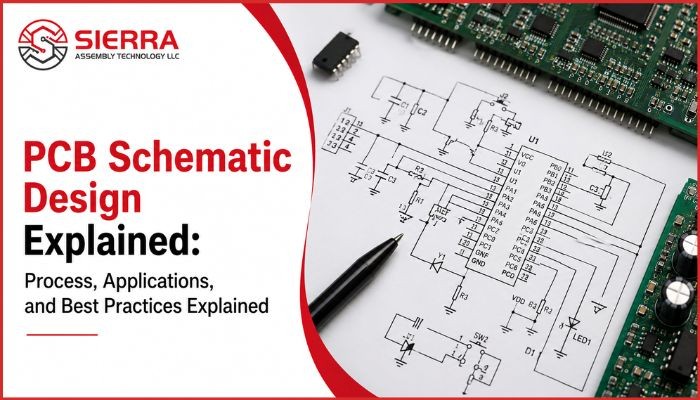
PCB Schematic Design Explained: Process, Applications, and Best Practices Explained

Jun 10,2026
Modern electronic devices rely on precise circuit planning and accurate component connectivity to function efficiently. Before a printed circuit board (PCB) is physically manufactured, engineers create a detailed visual representation of the circuit known as a PCB schematic design. This schematic acts as the foundation for the entire PCB development cycle, helping engineers define electrical connections, validate functionality, and streamline manufacturing. From consumer electronics and industrial automation systems to aerospace and medical equipment, PCB schematics play a critical role in ensuring reliable circuit performance. Understanding the schematic process is essential for reducing design errors, improving manufacturability, and accelerating product development timelines. This post explains various aspects of a PCB schematic at length.  


What Is PCB Schematic Design

A PCB schematic design is a graphical representation of an electronic circuit that shows how components are connected using standard symbols. It forms the base of PCB design from schematic, helping engineers define circuit behaviour before moving to the physical layout stage.
During the schematic to PCB process, the schematic ensures accurate signal flow, proper component connectivity, and reliable circuit structure for manufacturing.
 
Key benefits include electrical rule checking before fabrication, reduced design and manufacturing errors, improved troubleshooting, better communication between teams, streamlined PCB assembly and testing, and easier design modifications for future upgrades.

Why PCB Schematics Are Important in Electronic Design 

PCB schematics are essential because they define circuit functionality before physical production. They act as a blueprint that helps engineers design, analyse, and verify circuits early in the development process.
 
They allow early detection of design errors, improving reliability and reducing costly manufacturing mistakes. Schematics also ensure clear communication between design and manufacturing teams by using standardized symbols.

Key Elements of PCB Schematic Design

A PCB schematic consists of several interconnected elements that collectively define circuit functionality.
  • Circuit Symbols: Standardized representations of electronic components that ensure consistent and easy interpretation of schematics across engineering teams.
  • Nets and Wires: Electrical connections that define signal and power flow between components and ensure correct circuit functionality.
  • Reference Designators: Unique labels assigned to components (e.g., R1, C2, U3) that help in identification, tracking, and troubleshooting.
  • Power and Ground Symbols: Indicators for voltage supply and grounding that simplify schematics and ensure proper power distribution.
  • Net Labels: Named signals used to reduce wiring complexity and improve readability in large or complex schematics.
  • Connectors and Ports: Interface points that enable communication, input/output signals, and power transfer between the PCB and external systems.

Main Components Used in a PCB Schematic

A PCB schematic comprises different electronic components depending on the circuit application and design complexity.
  • Capacitors: Capacitors store and release electrical energy as needed in a circuit and are commonly used for filtering noise, stabilizing voltage levels, coupling signals, and supporting power management functions.
  • Inductors: Inductors manage electromagnetic energy in a circuit and are primarily used for filtering, energy storage, and power conversion applications.
  • Diodes: Diodes control the direction of current flow by allowing it to pass in only one direction and are widely used for rectification, protection, and signal control.
  • Transistors: Transistors function as electronic switches or amplifiers in circuits and play a key role in signal amplification, power control, and digital switching operations.
  • Integrated Circuits (ICs): Integrated circuits combine multiple electronic functions into a single component and perform processing, memory storage, communication, and control tasks in complex systems.
  • Connectors: Connectors provide interfaces between the PCB and external devices or power sources and enable reliable electrical communication and system integration.
  • Microcontrollers: Microcontrollers execute programmed instructions to control embedded electronic systems and are widely used in IoT, automation, and consumer electronics applications.
  • Sensors: Sensors detect physical or environmental conditions such as temperature, pressure, motion, or light and convert them into electrical signals for processing.
  • Voltage Regulators: Voltage regulators maintain stable voltage levels in a circuit and protect sensitive components from voltage fluctuations to ensure reliable operation.

PCB Schematic Design Process and Workflow Explained

The PCB schematic design process follows a systematic workflow to ensure design accuracy and manufacturability. Typical workflow steps include:
  • Define Circuit Requirements: The process begins by identifying the circuit’s electrical and functional requirements, including operating voltage, current, signal type, and overall system specifications. This helps establish the design framework and performance goals.
  • Select Components: Engineers then select suitable components based on electrical ratings, compatibility, availability, cost, and application requirements. Proper component selection is important for reliable circuit performance.
  • Create Circuit Diagram: Using PCB schematic design software, engineers create the circuit diagram with standardized symbols and electrical connections. The schematic visually represents signal flow and component relationships within the circuit.
  • Assign Footprints: Each schematic component is linked to a PCB footprint that defines its physical size and mounting style on the board. Accurate footprint assignment is essential for proper PCB assembly.
  • Perform Electrical Rule Check (ERC): Electrical Rule Check (ERC) is performed to identify issues such as missing connections, incorrect pin assignments, or electrical conflicts before moving to PCB layout development.
  • Generate Netlist: The software then generates a netlist file containing all component connectivity information. This file transfers the schematic data into the PCB layout environment.
  • Convert Schematic to PCB Layout: The validated schematic is converted into a PCB layout where components are placed and copper traces are routed to create the physical board design.
  • Review and Validate Design: Finally, engineers review and validate the complete design to verify functionality, manufacturability, and overall reliability before production begins.

Difference Between PCB Schematic and PCB Layout

Although these terms are often used interchangeably, PCB schematic and PCB layout serve different purposes in electronics design.

Feature

PCB Schematic

PCB Layout

Purpose

PCB schematic defines the electrical connections and logical behavior of the circuit.

PCB layout defines the physical structure of the circuit board, including placement and routing.

Representation

It is represented as a logical circuit diagram showing how components are connected electrically.

It is represented as the actual physical placement of components on the printed circuit board.

Focus

The primary focus of a schematic is circuit functionality and electrical design accuracy.

The primary focus of a PCB layout is manufacturability and physical implementation.

Components

Components are represented using standardized electrical symbols.

Components are represented using physical footprints that match real-world sizes.

Routing

Electrical routing is not included in the schematic design.

Copper trace routing is included to connect all components on the board.

Design Stage

It is created during the initial phase of the PCB design process.

It is developed in the later stage after schematic finalization.

Used By

PCB schematics are typically created by circuit or design engineers.

PCB layouts are handled by PCB layout designers or CAD engineers.

Output

The output includes schematic files and netlists used for layout conversion.

The output includes Gerber files and manufacturing data for fabrication.

PCB Schematic Design Software and Tools

PCB schematic design software helps engineers create, simulate, and convert circuit designs into PCB layouts efficiently. Below are some of the most widely used tools in the industry:
 

Software / Tool

Description

Key Features

Best Use Case

Altium Designer

A professional-grade PCB design tool widely used in advanced electronics industries.

Advanced schematic capture, real-time 3D PCB visualization, strong design rule checks, seamless schematic to PCB integration

Complex and high-performance PCB designs, industrial and aerospace applications

KiCad

Open-source PCB design software with full schematic and PCB layout capabilities.

Free to use, schematic capture, PCB layout, simulation support, active community support

Startups, students, hobby projects, and cost-effective product development

OrCAD

A powerful PCB design suite used in professional engineering environments.

Advanced schematic capture, simulation tools, library management, design verification

Industrial and high-reliability electronic systems

Autodesk Eagle (Fusion 360 Electronics)

Easy-to-use PCB design tool integrated with Autodesk ecosystem.

Intuitive interface, schematic design, PCB layout, cloud collaboration

Small to medium-scale electronic projects and product prototyping


Applications of PCB Schematics 

  • Consumer electronics: Used in devices like smartphones, laptops, and home appliances.
  • Medical devices: Enables safe and accurate healthcare and diagnostic equipment.
  • Aerospace & defense: Supports reliable electronics for critical environments.
  • Telecommunications: Used in networking devices like routers and switches.
  • Automotive electronics: Powers vehicle control, infotainment, and safety systems.
  • IoT & embedded systems: Helps build compact and smart connected devices.
  • Renewable energy: Used in solar, wind, and power management systems.
  • Robotics: Supports automation, motion control, and sensing systems.
  • Computing systems: Used in servers, processors, and network hardware.

Best Practices for PCB Schematic Design

  • Use standard schematic symbols and naming conventions for consistency and clarity.
  • Keep circuit diagrams clean and well-organized for easier review and troubleshooting.
  • Group related circuits into logical blocks to improve readability and analysis.
  • Clearly label all signals and nets to avoid confusion during schematic to PCB conversion.
  • Verify component footprints before layout to prevent manufacturing errors.
  • Run regular Electrical Rule Checks (ERC) to detect design issues early.
  • Use hierarchical schematics for complex designs to improve structure and scalability.
  • Document design intent and specifications for future updates and maintenance.
  • Design with manufacturability (DFM) in mind to reduce production issues.
  • Collaborate early with PCB assembly partners to ensure smooth production and testing.

Common Mistakes in PCB Schematic Design

  • Missing or incorrect power and ground connections that can lead to circuit malfunction or complete failure.
  • Wrong or mismatched component footprints, causing issues during PCB layout and assembly.
  • Overcrowded or poorly organized schematics that reduce readability and increase the chances of design errors.
  • Improper or missing net labels, leading to confusion during the schematic to PCB conversion process.
  • Ignoring Electrical Rule Check (ERC) warnings, which can result in hidden connectivity or logic issues.
  • Inconsistent or unclear reference designators that make debugging and manufacturing difficult.
  • Using incorrect component values or outdated datasheet information during schematic design.

What to Look for in a PCB Design and Assembly Partner

  • Industry experience: Proven expertise in handling complex PCB designs ensures better quality and fewer production risks.
  • In-house engineering support: Helps quickly resolve design and manufacturing issues for smoother project execution.
  • DFM & DFA expertise: Ensures designs are optimized for manufacturing and assembly, reducing cost and errors.
  • Advanced testing & inspection: Detects defects early and improves overall product reliability.
  • Quick-turn prototyping: Enables faster validation and reduces time-to-market.
  • IPC & ISO certifications: Ensures compliance with global quality and manufacturing standards.
  • Strong component sourcing: Ensures availability of quality components at competitive prices with fewer delays.
  • Good communication & technical support: Ensures smooth coordination between design and manufacturing teams.
Ready to turn your PCB schematic design into a reliable, manufacturable product without delays or errors? At Sierra Assembly, we specialize in end-to-end PCB solutions, from schematic support and design validation to precision PCB assembly and testing. Our engineering-driven approach ensures accurate layouts, faster turnaround times, and production-ready results. Partner with us to streamline your PCB design from schematic to final manufacturing with confidence and efficiency. 

Frequently Asked Questions (FAQs) 

1. How does a PCB schematic help improve product reliability?
Ans: It helps engineers validate electrical connections and circuit behavior early, which leads to more stable, reliable, and functional end products.
 
2. What problems can occur if a PCB schematic is poorly designed?
Ans: A poor schematic can cause issues like circuit failure, incorrect component behavior, manufacturing defects, or complete product malfunction.
 
3. Can changes be made easily after creating a PCB schematic?
Ans: Yes, changes are much easier at the schematic stage compared to after PCB manufacturing, which helps save time and production costs.
 
4. Do I need technical knowledge to understand a PCB schematic?
Ans: Basic understanding helps, but engineers typically translate schematics into readable layouts so non-technical stakeholders can still review designs effectively.
 
5. Who should create or review a PCB schematic design?
Ans: Experienced electronics engineers or PCB design specialists should create and review schematics to ensure accuracy and manufacturability.